
 FaLe PDFAvailable
PDF & Office – free, private, offline
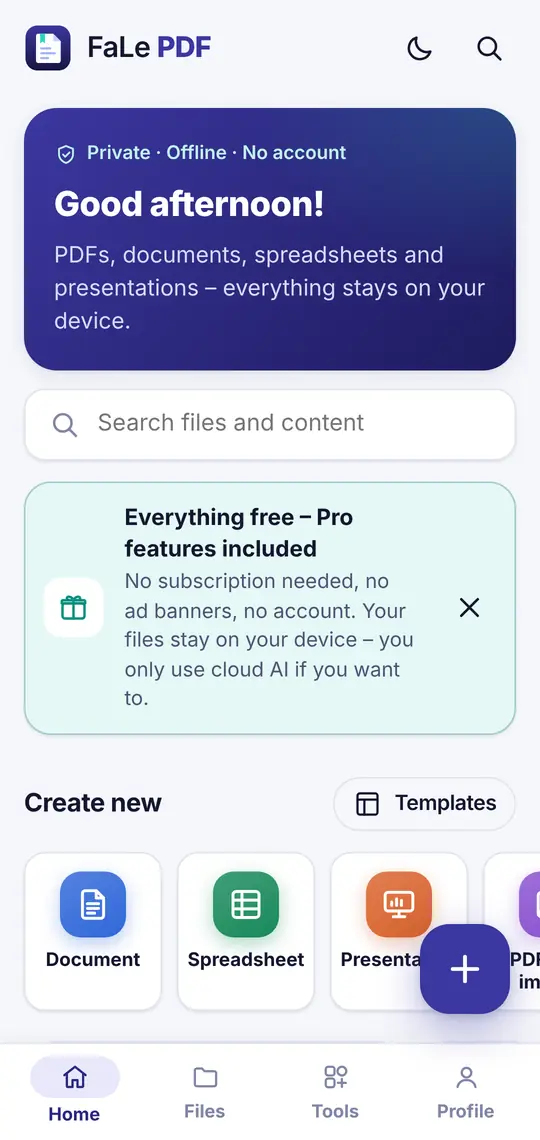
Read, fill in, sign, scan and convert PDFs. Everything runs right on your device – for free.
Open in browser
Android: coming soon to Google Play
Tip: open it in your browser and choose “Add to Home Screen” – FaLe PDF then starts like an app.
Everything you need for documents
Tap a topic to see its features.
Read PDFs
- Fast viewer with search, bookmarks and table of contents
- Reading mode: text reflowed for phones, also sepia and dark
- Read aloud with your device’s speech output
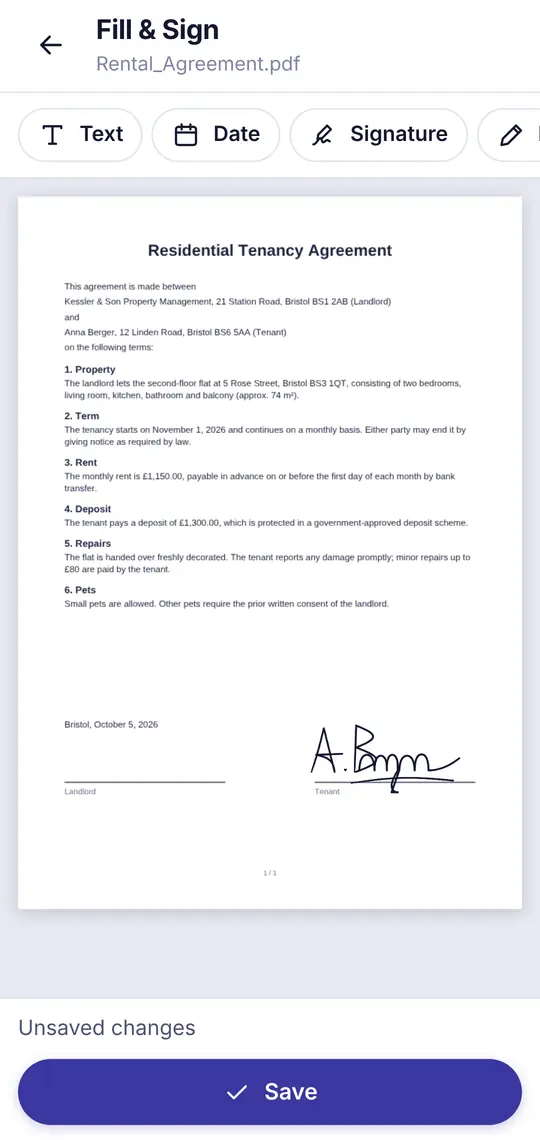
Fill in & sign
- Fill in PDF forms
- Draw a signature, save it and place it with one tap
- Date, text, initials and your own stamps
Scan with text recognition
- Camera scanner: detects edges, straightens, enhances
- Offline text recognition (OCR) – scans become searchable
- ID cards, business cards, passport photos and QR codes
Annotate & edit
- Highlight, notes, freehand and shapes
- Add or replace text and images
- Redact, watermarks, page numbers, headers and footers
Pages & files
- Merge, reorder, rotate, extract, crop
- Compress and batch processing
- Set and remove password protection (AES-256)
Convert
- PDF to DOCX, XLSX and PPTX – and back
- Images to PDF, image to DOCX or XLSX via text recognition
- Export pages as images or text
Documents, spreadsheets, presentations
- Open, edit and create DOCX, XLSX and PPTX
- Spreadsheets with formulas and charts
- Templates for CVs, invoices, letters and more
Share securely
- Share files end-to-end encrypted via link
- Request a signature from someone else
- Connect devices with a QR code – data is deleted after 7 days at the latest
AI assistant (optional)
- Ask your documents – answers with page references
- Summarise, translate, writing help, flashcards
- Only with your consent, free requests every day
What FaLe PDF looks like
Sign 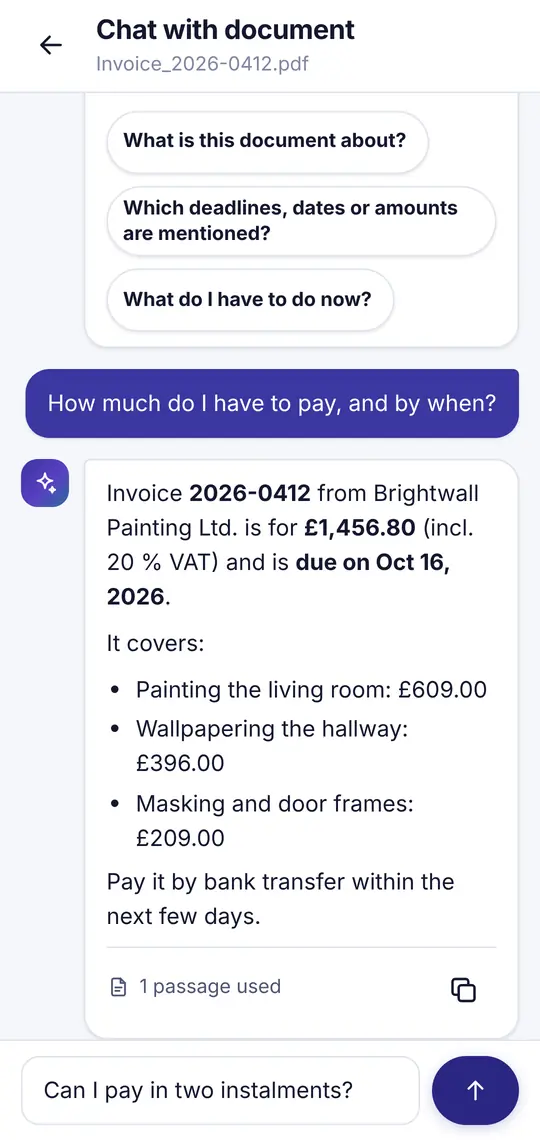
AI assistant
Good to know
Why is FaLe PDF free?
Because almost everything happens on your device – and that costs us nothing.
- Processing on your device
- Reading, signing, scanning, text recognition, converting and editing run right on your phone or computer. That needs no servers – so there is nothing to pay for.
- Only the AI costs money
- The optional cloud AI has a real cost per request. That’s why there is a free daily allowance.
- No trading in data
- No banner ads, no tracking, no analytics tools and no selling of data. You only see an ad if you start a video yourself.
Technical details
- Platforms
- Web app for any modern browser, Android app coming soon
- File formats
- PDF, DOCX, XLSX, PPTX, CSV, TXT, Markdown and images (JPG, PNG, WebP)
- Languages
- English and German – letter templates follow German law