
 FaLe PDF
Request a signature – free and without an account
Pick a PDF, place the fields, send the link. The other person signs on their phone or computer – no sign-up and no app.
Runs in FaLe PDF in your browser. Nothing to install, no account.
How it works
Pick a PDF
Open the PDF that needs signing – for example a contract, a quote or an agreement.
Add people and fields
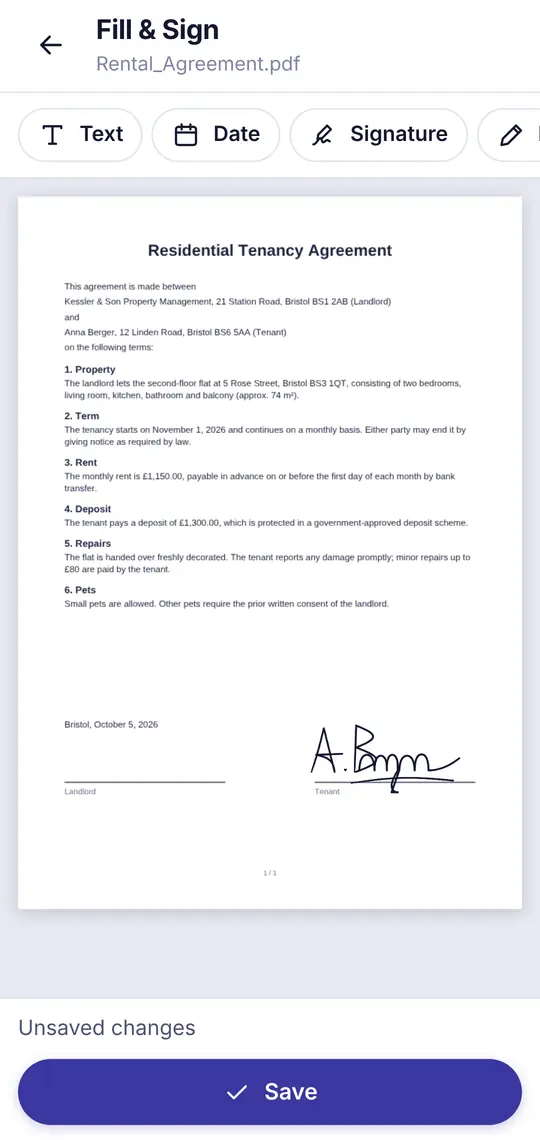
Enter up to five people and place their fields: signature, date, name or text.
Send the link
Each person gets their own link – via messenger, email or QR code. They sign one after another, and you get the finished PDF.
What you get
- No account – for anyoneNeither you nor the others need to sign up or install anything. A link in the browser is enough.
- End-to-end encryptedThe key is only in the link. Our server sees neither the document nor the names or your message – only whether it has been signed.
- Free, no subscriptionNo trial that renews itself, no paywall when you download.
- With an audit pageThe signed PDF gets a page with names, times and a checksum of the document.
- Deleted automaticallyYou choose 7, 14 or 30 days. After that everything is gone from the server – or earlier if you delete the request.
Frequently asked questions
Is such a signature valid?
It is a simple electronic signature under the EU eIDAS regulation. That is common for many everyday agreements such as quotes, order confirmations or agreements. Where the law requires a handwritten form – for example to terminate an employment or tenancy in Germany – it is not enough; then you need pen and paper. This is not legal advice.
Do the others need an app or an account?
No. They open the link in their browser, see the document and sign with a finger, the mouse or by typing.
What does it cost?
Nothing. FaLe PDF is free, including this feature.
Who can see my document?
Only people with a link. The key for decrypting is in the link itself and is never sent to our server.
How long is the link valid?
As long as you choose when creating it: 7, 14 or 30 days. After that the document and all signed versions are deleted automatically.
Where do I see who has signed?
In FaLe PDF under “Share” – on the device where you created the request. That is also where you download the finished PDF.