
CV templates: 10 designs to choose from
All designs belong to the same CV editor, so you can switch at any time without retyping anything. The previews are real output of the editor.
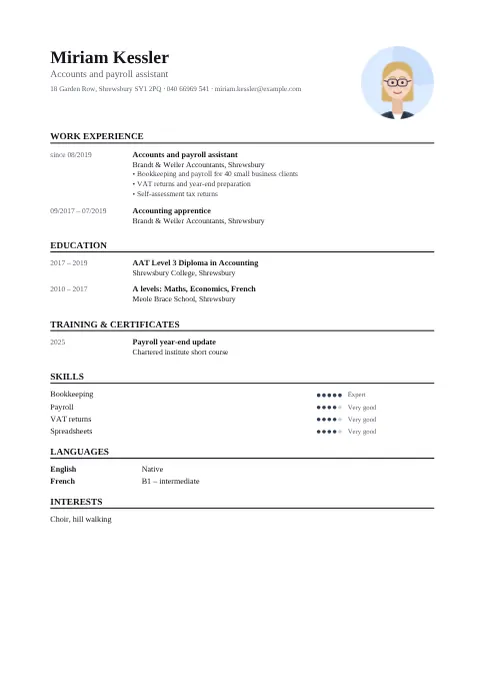
Classic
Serif type, one column, headings in capitals. Calm and serious – works in any field.
Good for: Administration, law, banking, public sector
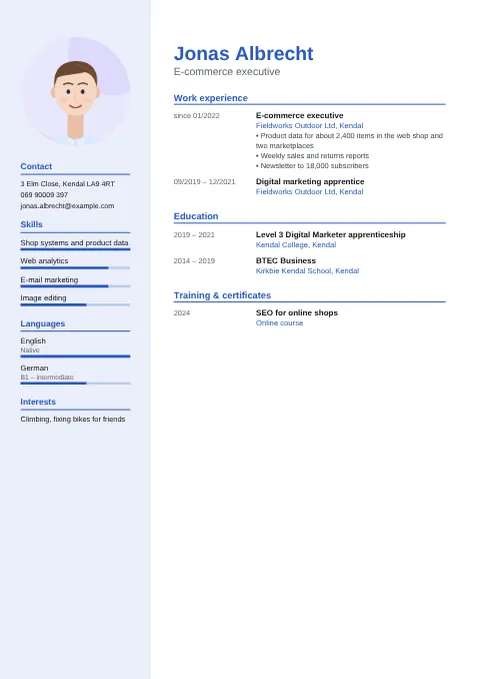
Modern
Coloured sidebar with photo, contact, skills and languages; experience on the right. Easy to scan.
Good for: Office, retail, healthcare, IT – almost anything
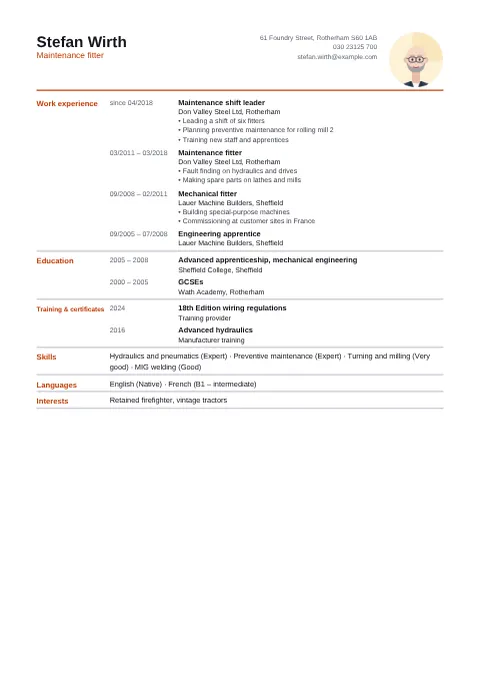
Compact
Dense layout with headings to the left of the content. Fits a lot of experience into little space.
Good for: Long careers, skilled trades, engineering
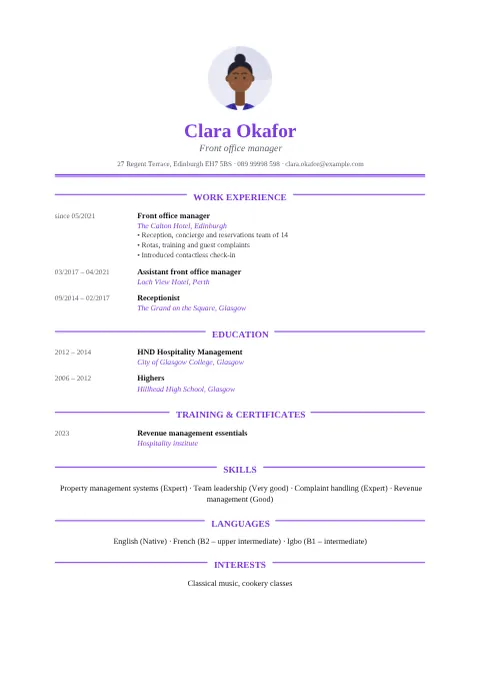
Elegant
Centred header with the photo above the name, serif type and fine rules beside the headings. Makes a polished first impression.
Good for: Executive assistants, hotels, consulting, culture
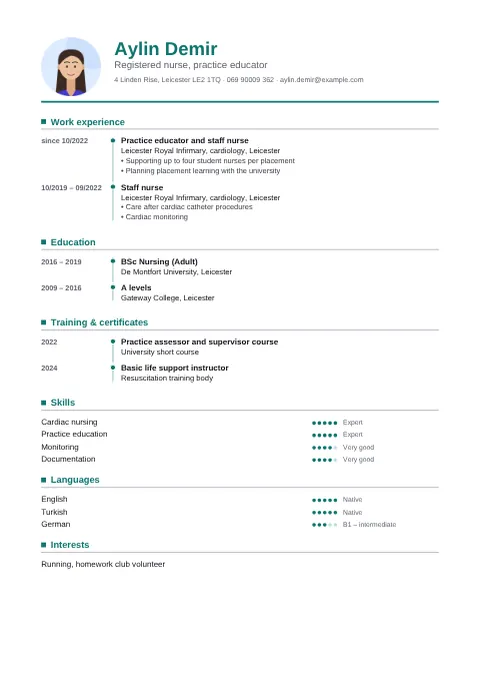
Timeline
Each position hangs on a vertical line with dots – your career reads like a timeline.
Good for: Clear career paths, healthcare, logistics, sales
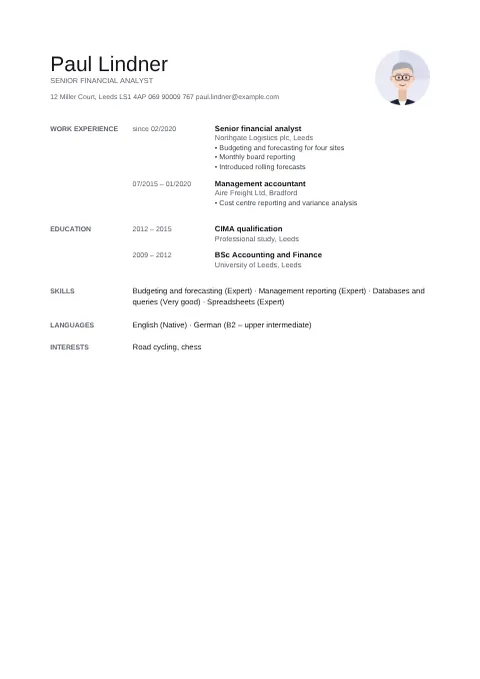
Minimal
Black and white, lots of white space, small grey section labels in the margin. Lets the content speak.
Good for: Finance, architecture, design, senior roles
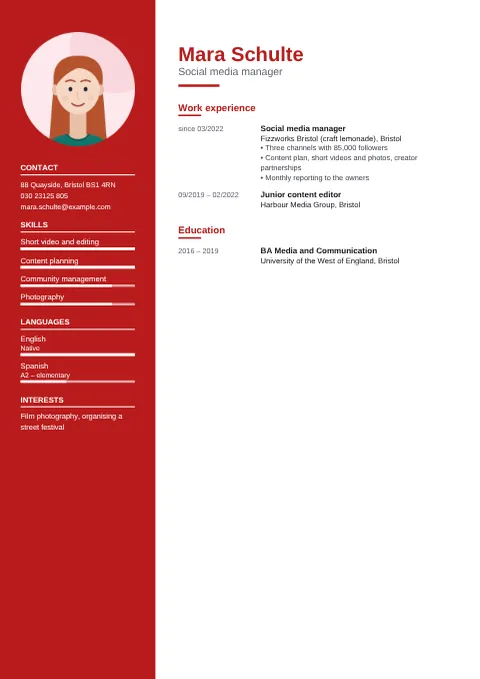
Creative
Bold colour sidebar with white text for photo, contact and skills. Stands out without being busy.
Good for: Marketing, media, hospitality, social media
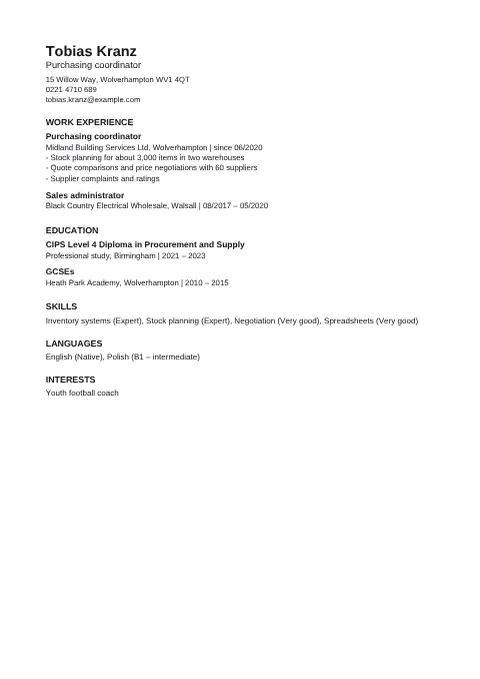
ATS-friendly
One column, no graphics, no photo, standard headings – job portals read the text reliably.
Good for: Online portals, large companies, recruiters
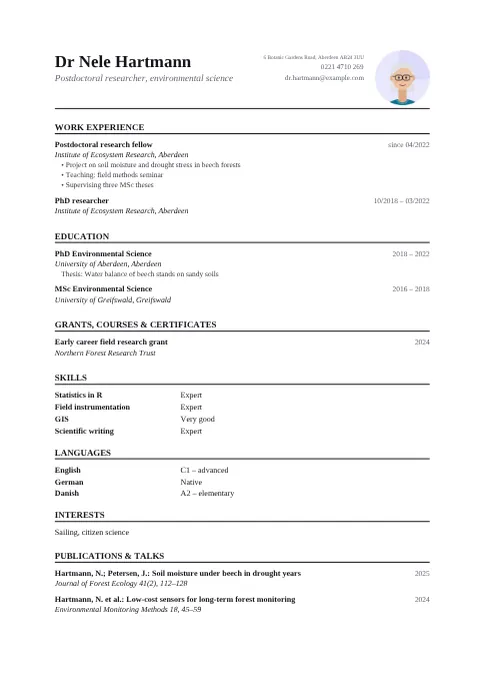
Academic
Serif type, dates aligned right, a section for publications and talks.
Good for: Research, PhD, teaching
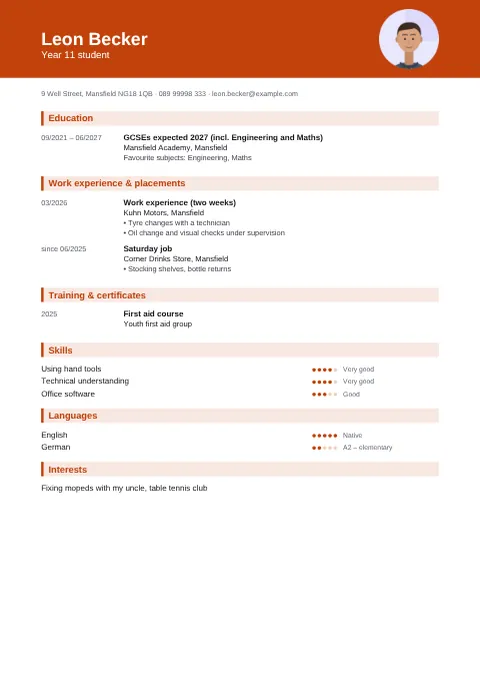
School leaver
Colour header band, education first, placements and part-time jobs after it. Ideal when you have little work experience yet.
Good for: Apprenticeships, placements, first jobs
All people, companies and contact details in the examples are fictional.
Frequently asked questions
Can I change the design later?
Yes. In the editor you switch the design under “1. Design” and all your details stay. Try a few – the preview updates at once.
What does ATS-friendly mean?
Many employers let software read applications first (an applicant tracking system). Such systems read one-column CVs with clear headings and real text most reliably, so the “ATS-friendly” design leaves out columns, graphics, bars and the photo.
How long should a CV be?
One or two pages is usual. The editor flows longer content onto more pages and numbers them. If it gets longer, the “Compact” or “Minimal” design helps – or shorten older positions.
Is my data stored?
No. The CV is created in your browser. Nothing is stored unless you switch on “Save the draft” in the editor – and then only on your device.